


Spend less time on the admin that repeats across your emails, matters, and Intake forms – with more of your classic Outlook add-in features in new Outlook, matter access controls in the web app, automatic form reminders and more. Read on to see what’s new for your firm this month.
Do more from your inbox with our new Outlook add-in
Tier: Boost, Grow, Prosper+
Region: US, AU and UK
Switch to new Outlook today, without changing how you work. Our latest updates bring over the classic add-in features you rely on most. Now you can:
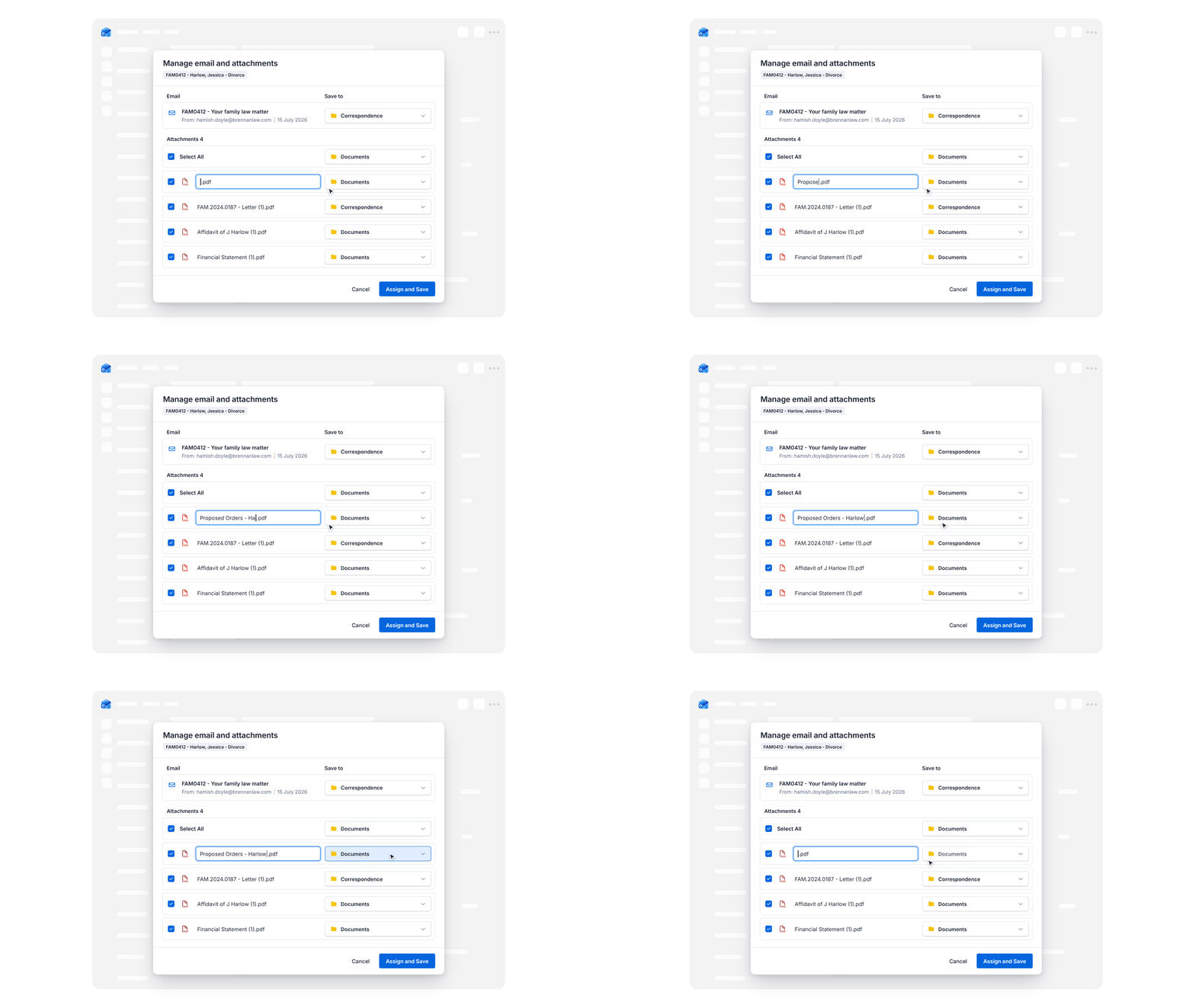
- Rename emails and attachments. Give every email and attachment the right name and folder as you assign it, with the option to set a default save location.
- Mark emails as non-billable. Control which emails become billable time as you write them, so only the right work gets billed.
- Work from more than one mailbox. Use the add-in with other mailboxes you've added to Outlook, not just your main one.
- Add matter contacts to emails. Add the client or other parties to the To, Cc, or Bcc fields, straight from the matter.
- Set reminders and attach emails to tasks. Add reminders from Outlook, and keep the original email with the task in Smokeball, so whoever picks it up has the full picture. Only available in our new Outlook add-in.
Control who can access each matter from the web app
Tier: Grow, Prosper+
Region: US, AU and UK
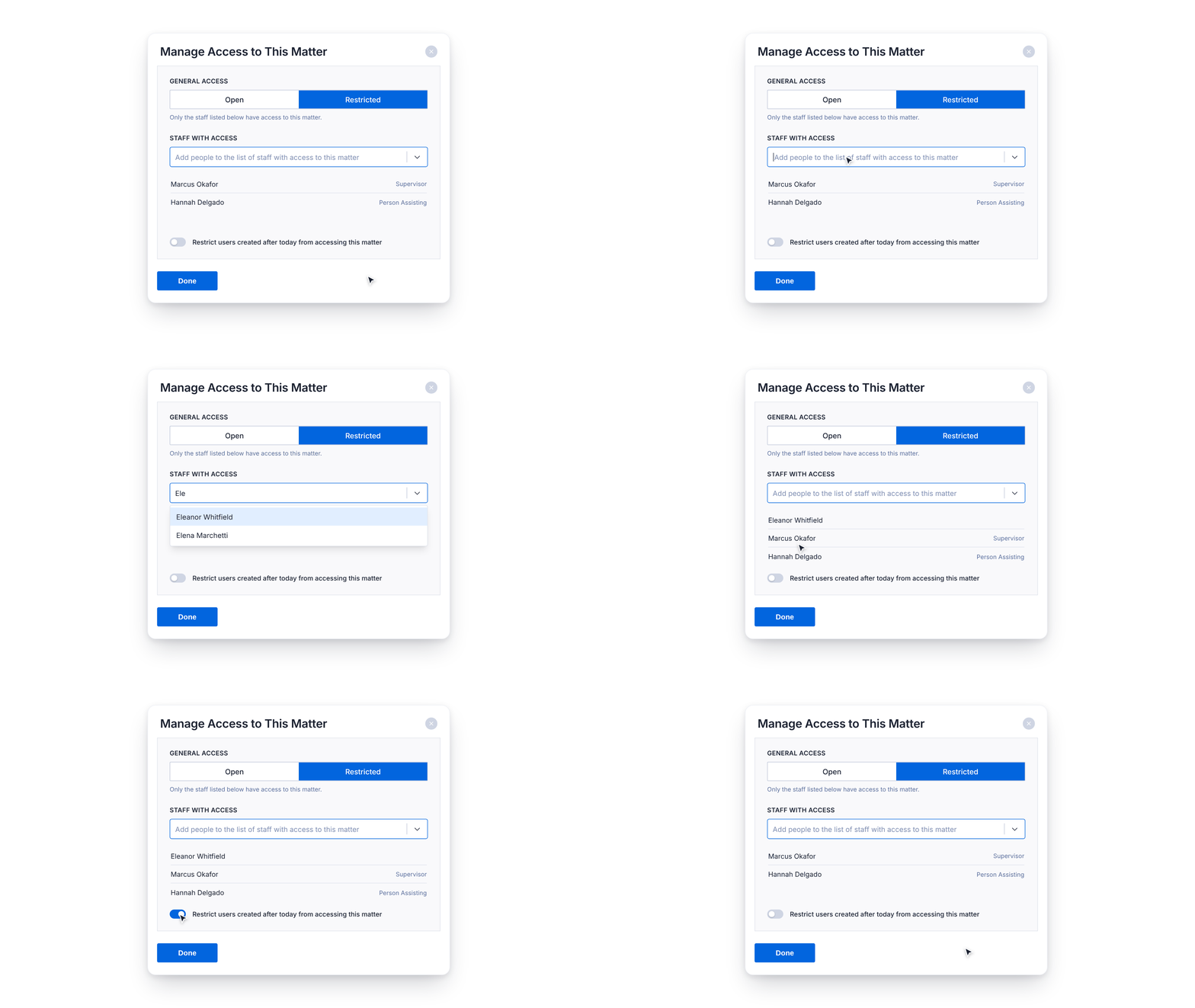
Manage a matter’s access from the web app as well as desktop, with changes syncing both ways. In the web app, choose whether a matter is open to the firm or restricted to specific staff, and whether new staff are kept out by default. In the desktop app, access has been simplified into a single list of who can open the matter.
Keep every lead and client moving through intake
Tier: Boost, Grow, Prosper+
Region: US, AU and UK
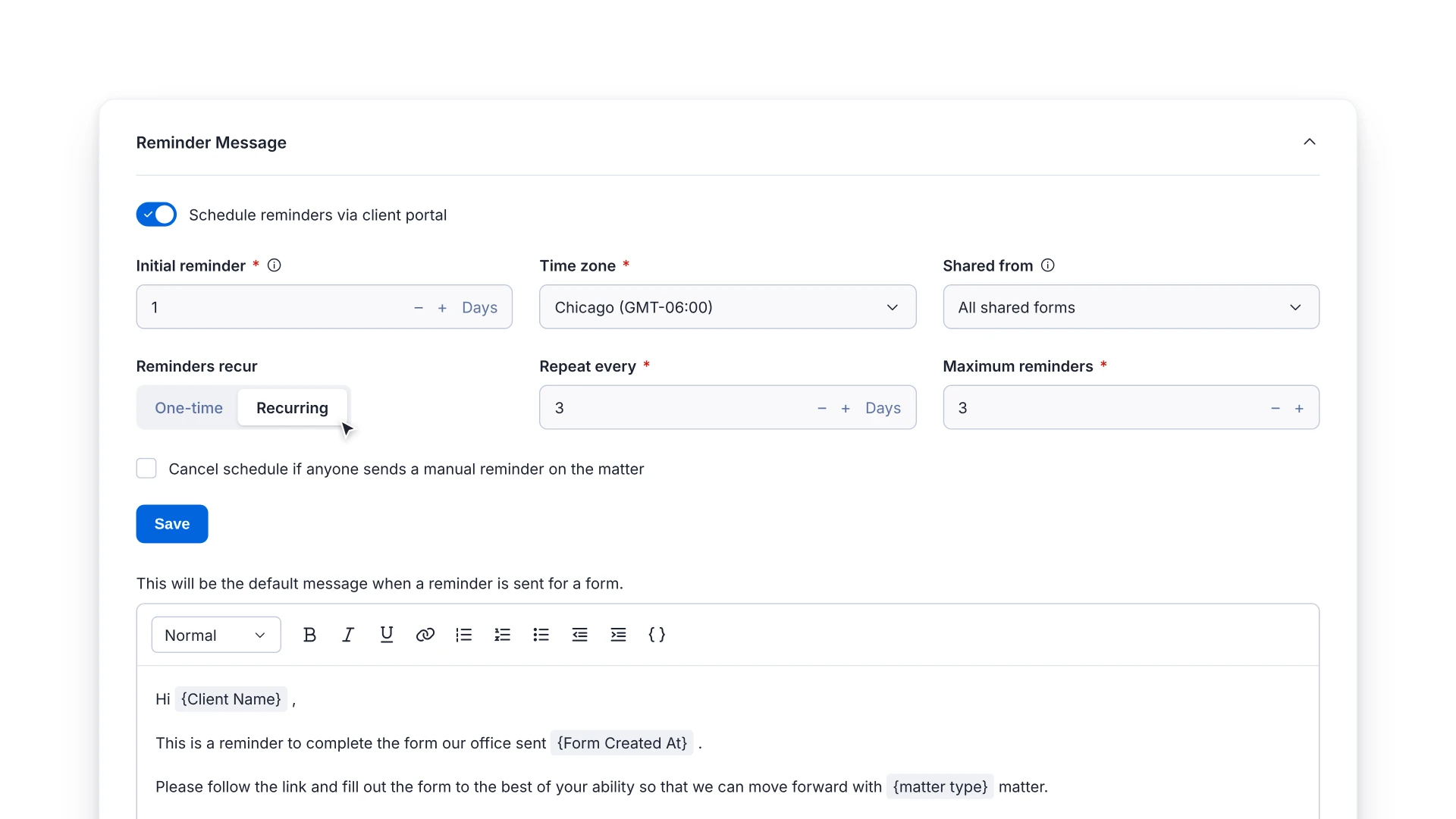
Let Smokeball follow up on outstanding intake forms for you. Automatic reminders go out through the client portal on a schedule you set, and stop as soon as the form is submitted. A new reminders column and status filter on your Pending Forms list help you keep track of reminders sent for each form.
Reset your Matter Numbers / Internal References automatically each new year
Tier: Boost, Grow, Prosper+
Region: US, AU and UK
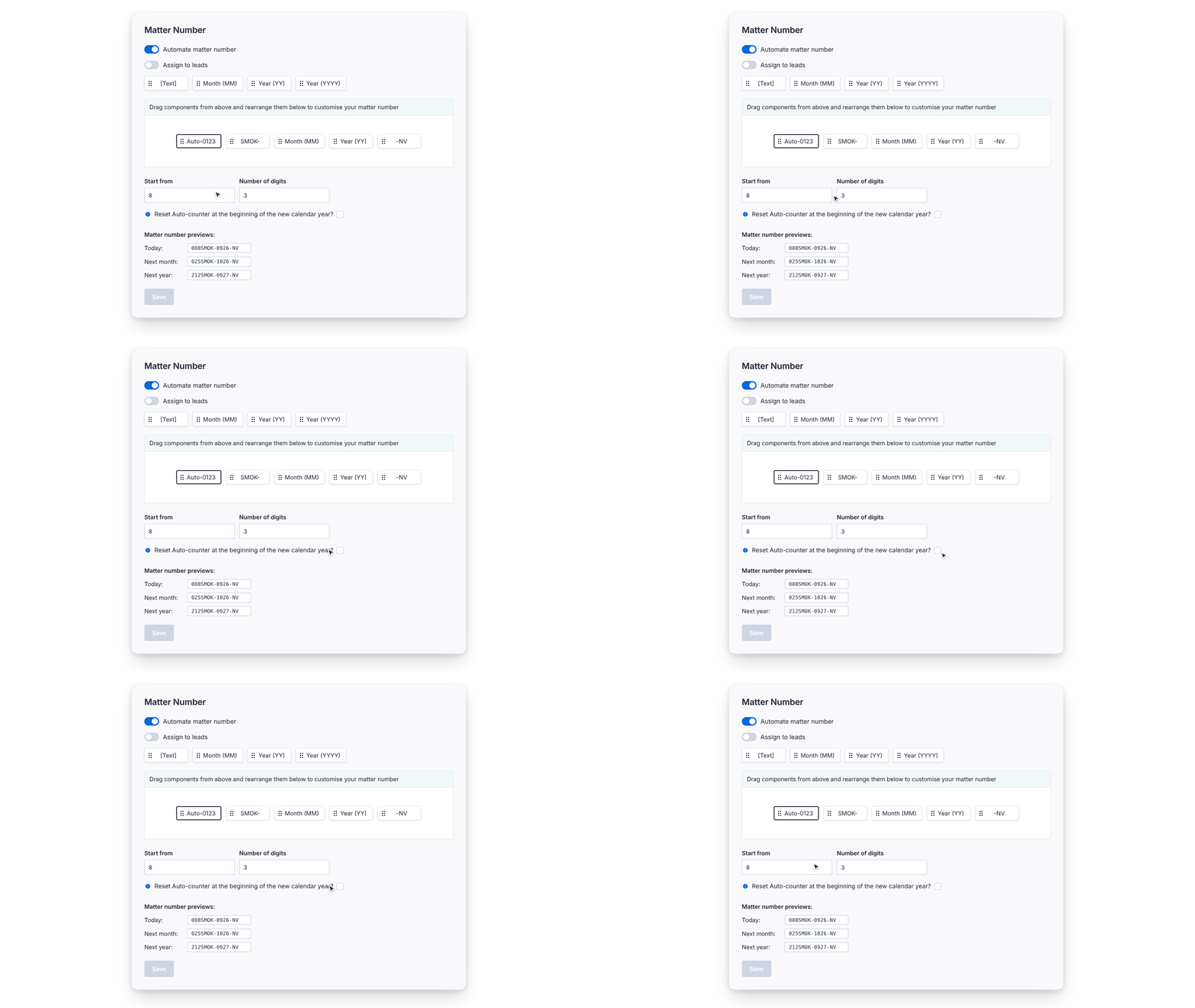
Forget manually resetting your matter numbering every January. You can now set your automated numbering to restart from 1 with the first matter of each calendar year. Turn it on once in the web app, and matters opened on desktop, web or mobile will all follow your new numbering. Set it up before 2027, ready for your first matter of the new year.
The setting is coming to the desktop app soon, but there’s no need to wait.
Export trust payments as a bank-ready ABA file
Tier: Prosper+
Region: AU
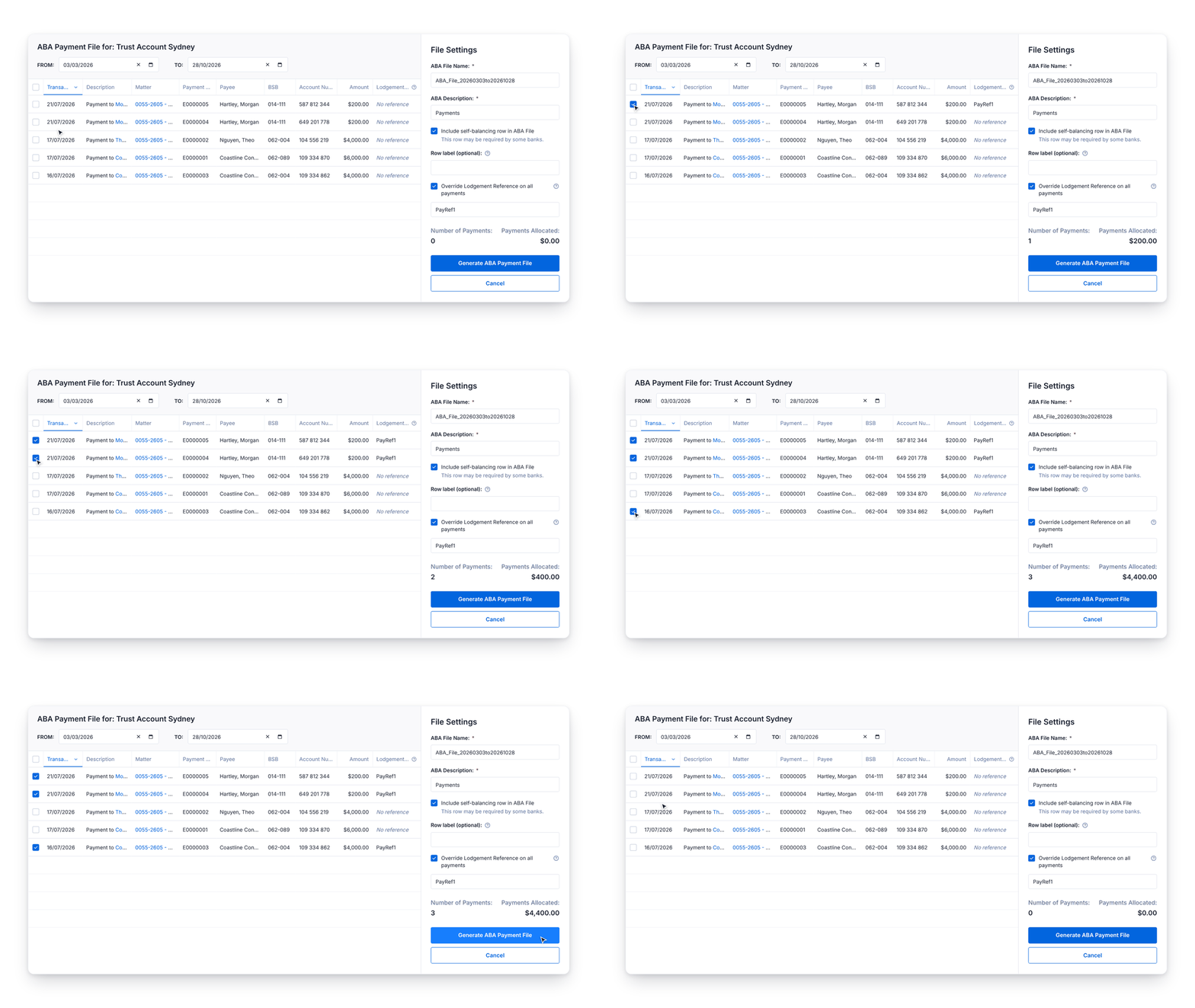
Upload your trust payments to your bank’s portal in bulk, instead of keying each one in. You can now generate an ABA file from the payments you’ve recorded in Smokeball. Each payment can only go into one file, and your export history records every file, its total and who created it. Turn on ABA payments for each trust account in Firm Settings.
Customize court captions for each matter
Tier: Grow, Prosper+
Region: US
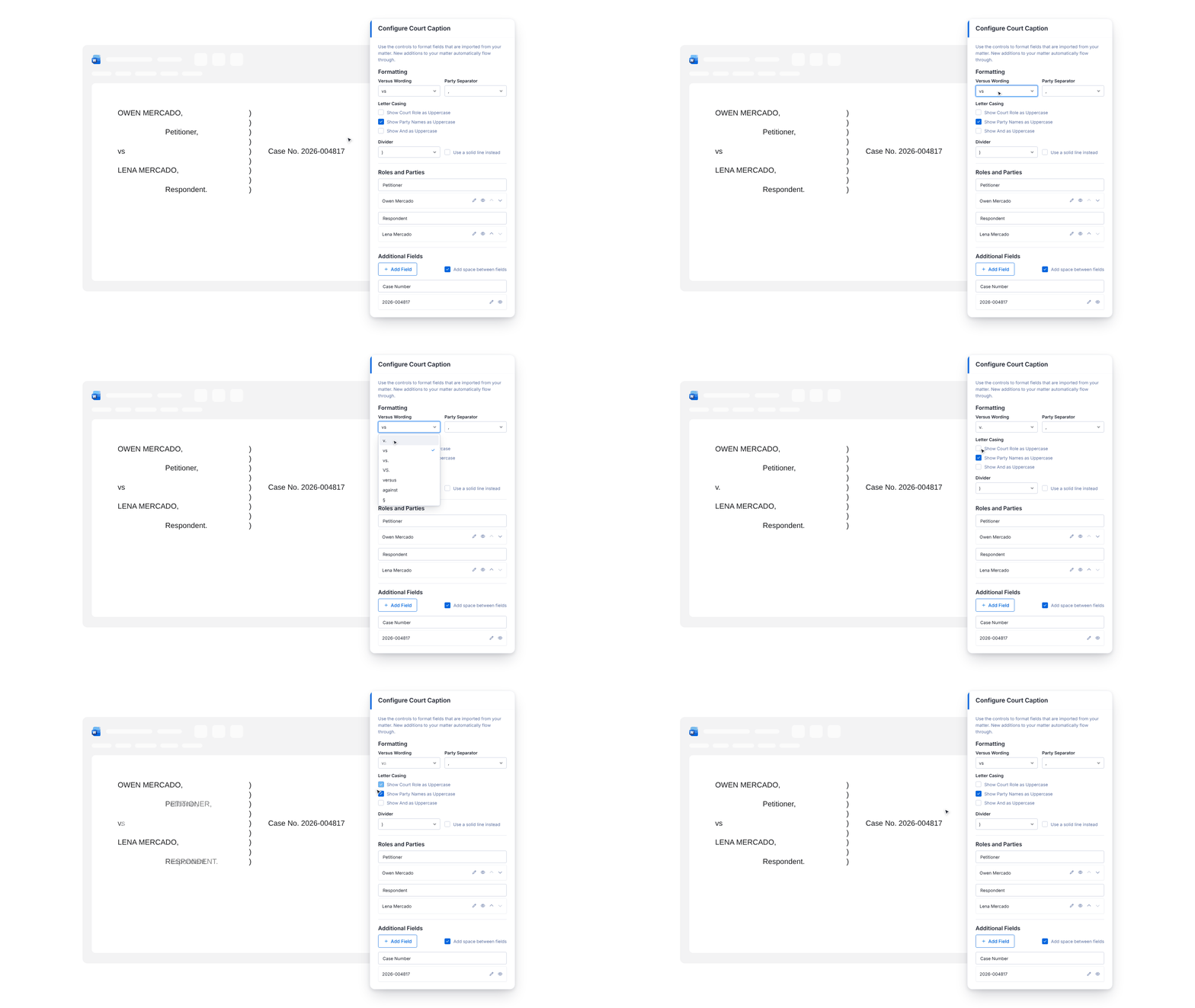
Tailor each caption at the matter level by adding the new configurable court caption field to your templates. Use the TemplateLab toolbar to hide, reorder or annotate parties, set the separator and capitalization, and add extra fields like the judge or courtroom. For formatting or content the field doesn’t support, manual override lets you edit the caption directly in the document.
Add contact details to Intake forms in one step
Tier: Boost, Grow, Prosper+
Region: US
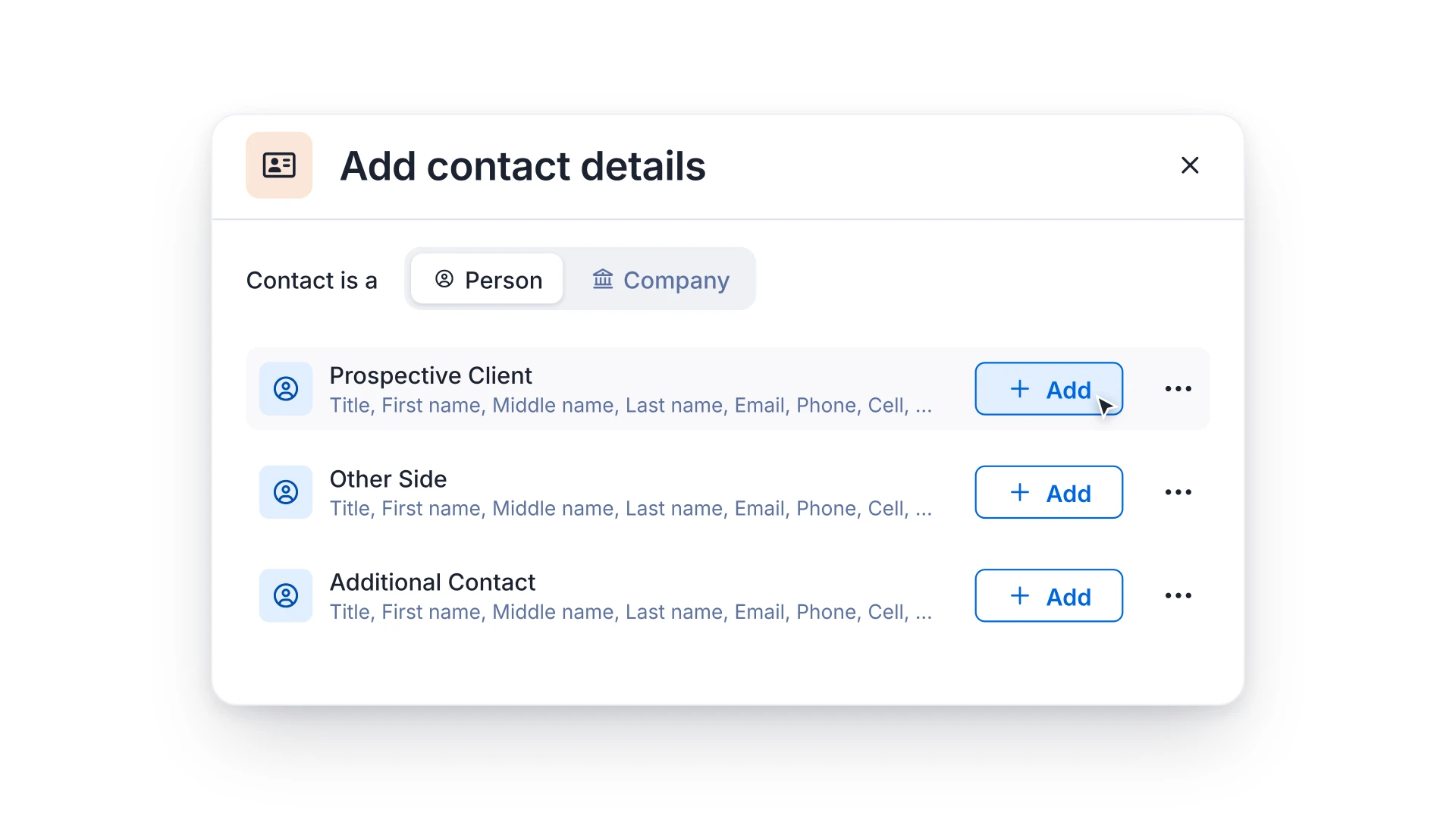
Build Intake forms without setting up the same contact fields every time. Add a ready-made set of person or company fields, linked to a matter role such as your client or the other side, then reorder, rename or remove fields to suit the form. Save your version as a field set, and anyone at your firm can reuse it on other forms.