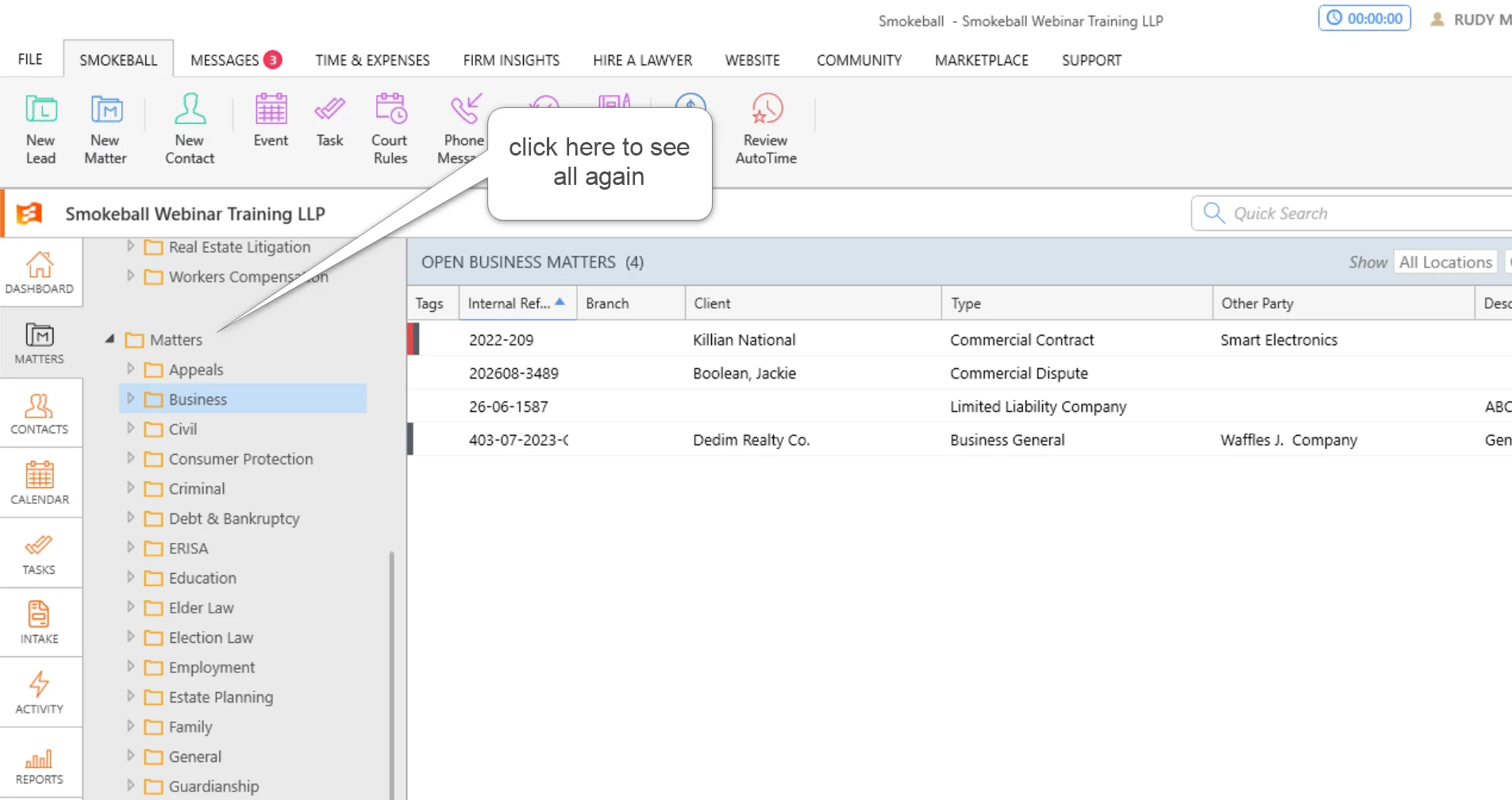
can someone please advise if there is a way to filter the leads and matters by the type of matter.
it seems odd that the system forces you to select this type at every turn but the filtering options in the list doesn’t have it as a field, am i doing something wrong ?
Best answer by Sara Sultan
Hello @gorvalpartners
The folders to left of the lead and matter list are what is used to filter. Click on the folder of the lead or matter type you want to look at. If you want to go back to see all of them you will need to click on the top lead or matter folder.
The folders to left of the lead and matter list are what is used to filter. Click on the folder of the lead or matter type you want to look at. If you want to go back to see all of them you will need to click on the top lead or matter folder.
Sign up to see it all
Sign up for access to topics focused on your area of law, private groups and more.