


This month’s updates help you work through emails faster, capture more accurate client information from the outset, and keeps compliance records and trust accounts in order. Keep reading to see what's new this month.
Our new Outlook add-in for Smokeball’s desktop app is here
Tier: Grow, Prosper+
Region: US, AU and UK
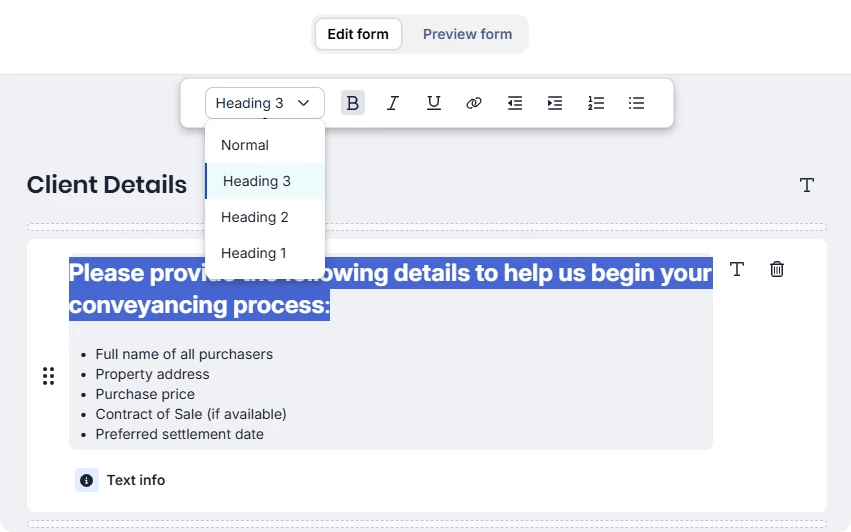
Microsoft is transitioning to the new Outlook, and so are we. Our latest add-in for Smokeball’s desktop app supports new Outlook for Windows and Outlook’s web app, giving you more flexibility to work wherever you need and unlocking new features such as Archie AI and tasks. Your key workflows are supported. You’ll still be able to file emails and attachments to matters, track activity with AutoTime, and send emails directly from Smokeball or Word.
If you’re using Smokeball on the Grow and Prosper+ tiers, switching now gives you immediate access to the latest features as soon as they’re released. Plus, your entire team doesn’t need to move at once; you can switch at your own pace.
We'll continue to support classic Outlook for as long as Microsoft does (at least until 2029), but no new features or enhancements will be added. Our focus is on the latest add-in, and switching sooner means fewer disruptions as Microsoft continues its transition.
If you’re on the Boost tier, you now have access to Archie AI and tasks in the Outlook add-in.
AML/CTF compliance tools to help you reduce risk and admin
Tier: Grow, Prosper+
Region: AU
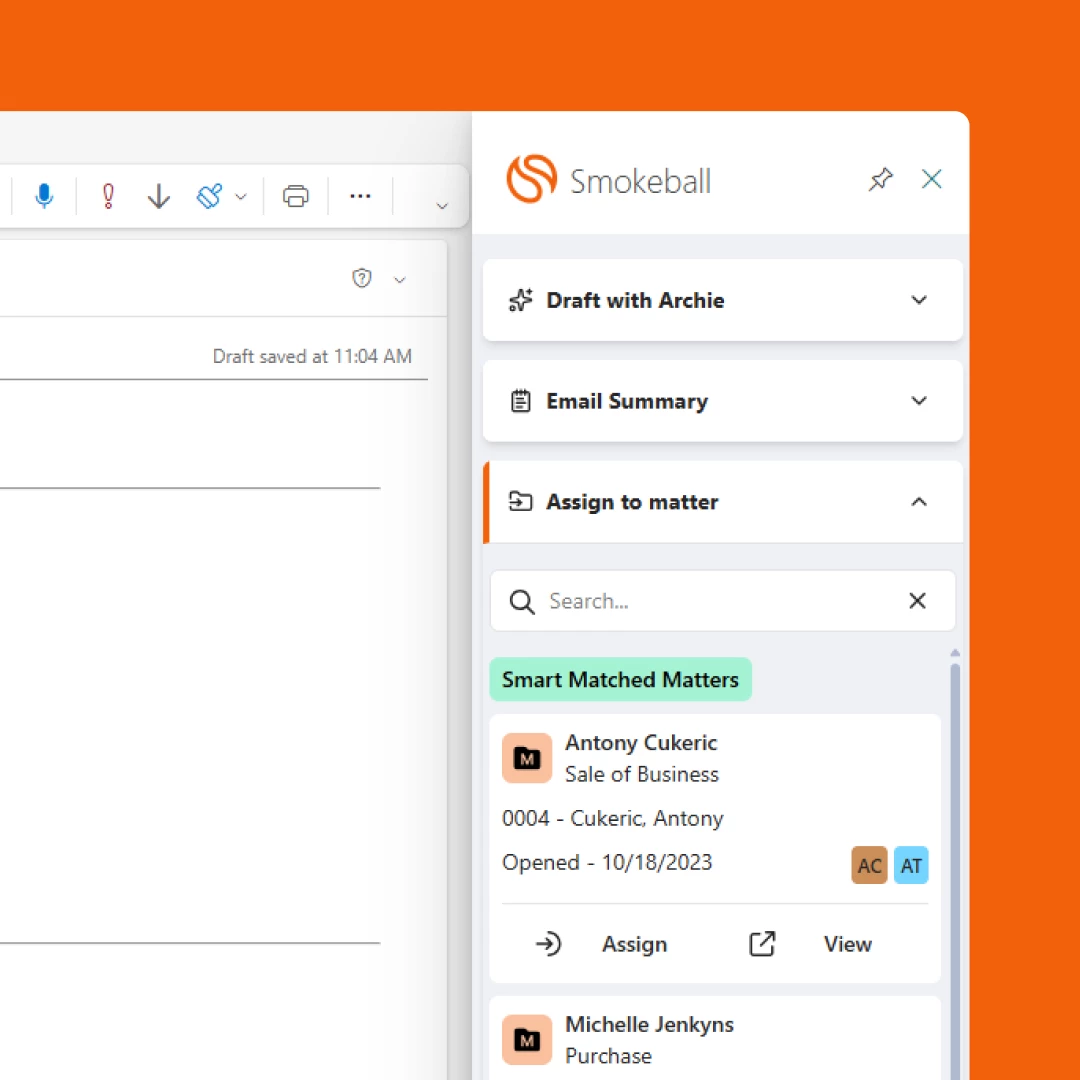
With Anti-Money Laundering and Counter-Terrorism Financing (AML/CTF) obligations expanding for Australian law firms, many practices are starting to think about how they’ll manage client due diligence, risk assessments, and compliance documentation.
To help, we’ve introduced new AML compliance features directly inside Smokeball. Through our enhanced integration with InfoTrack, firms can run AML checks, track risk assessments, and maintain compliance records without leaving Smokeball.
Translated intake forms your clients can complete with confidence
Tier: Included on Prosper+, or as part of the Intake add-on for Boost and Grow.
Region: US, AU and UK
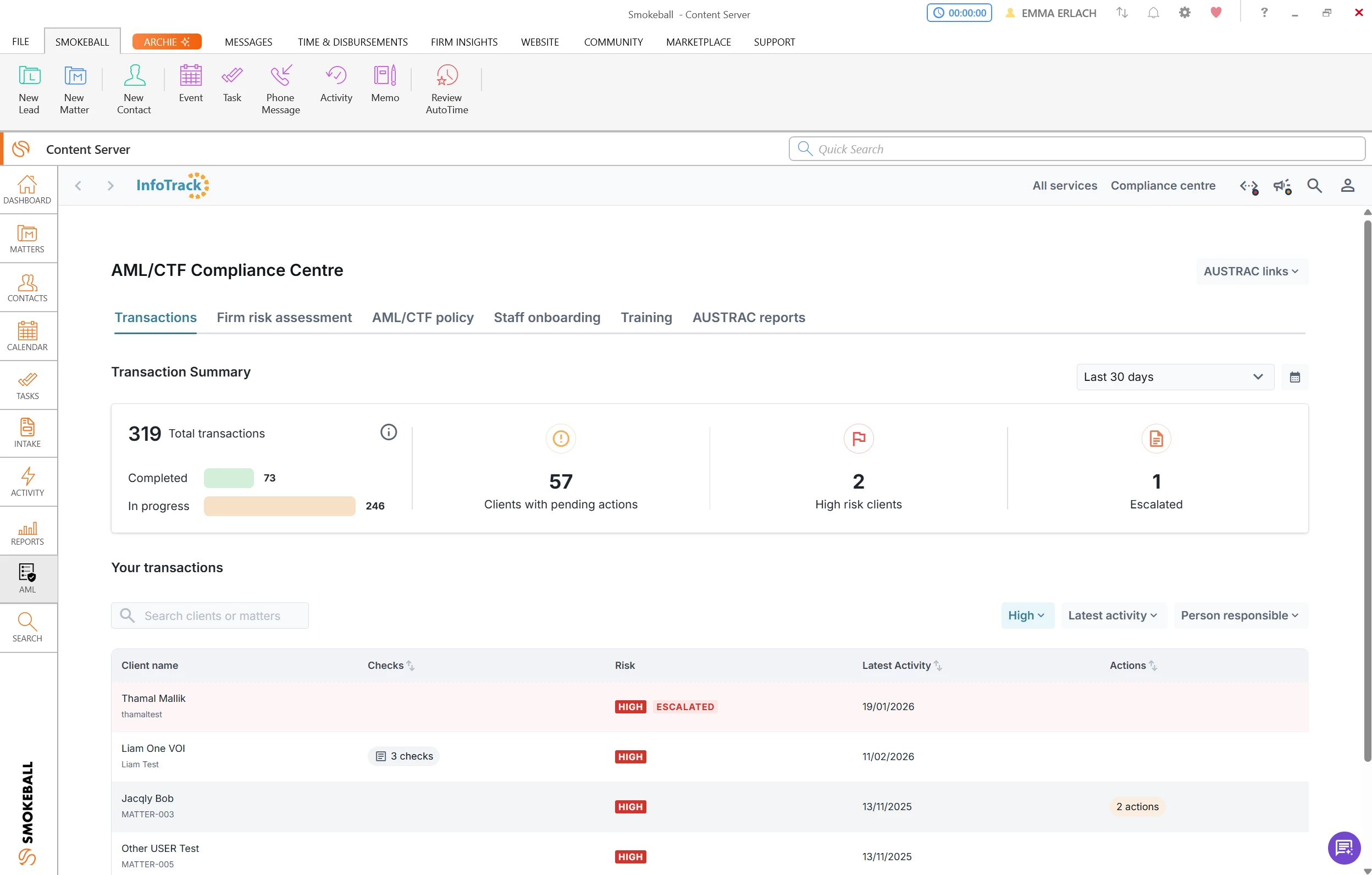
Collect more accurate, complete client information from the outset with multilingual forms. Our forms support built-in translation across ten languages, presenting questions in your client's preferred language so they can respond with confidence.
Your trust records, anchored to when transactions occurred
Tier: Bill, Boost, Grow, Prosper+
Region: US and UK
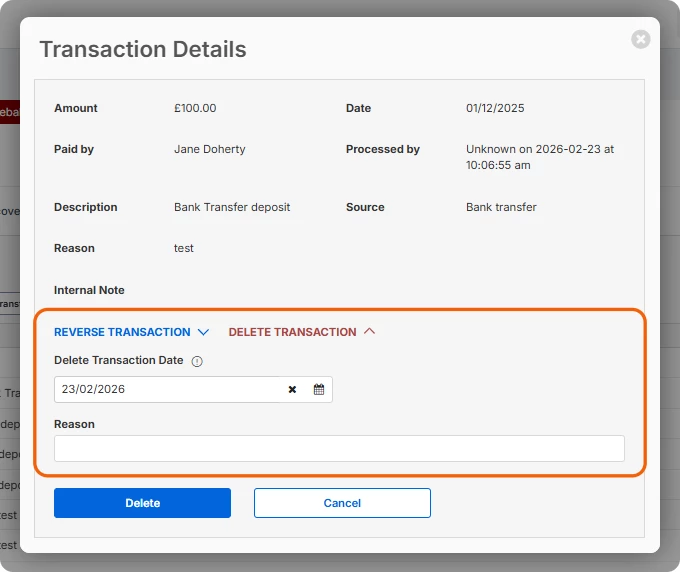
Keep trust records aligned with when transactions occurred, not when you entered them, by setting the transaction dates for reversals and deletions. Both the transaction date and the entered date appear in summaries and reports, giving your firm a complete audit trail. By allowing reversals and deletions to be dated to the transaction date, trust balances will be more accurately reflected at the intended point in time.
Note: Deleting a transaction reverses it and hides it; the transaction remains on record but is hidden from the default ledger view and can be made visible again at any time.
Clear, formatted intake forms your clients can follow
Tier: Included on Prosper+, or as part of the Intake add-on for Boost and Grow
Region: US, AU and UK
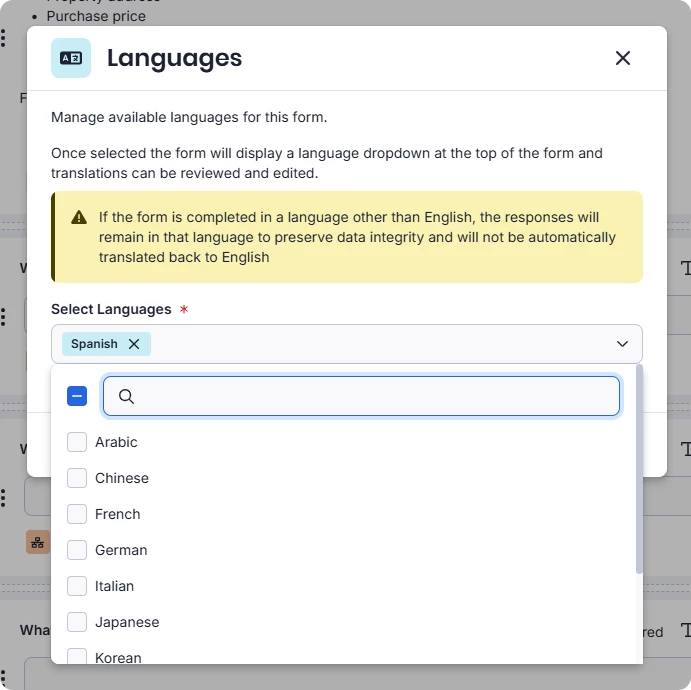
Bullet points, numbered lists, and indents built directly into the form builder let you present information, and questions in a format that's easy to scan and follow. A fixed toolbar keeps those options in reach alongside existing formatting such as bold, underline, italic, heading styles, and hyperlinks, so everything you need is in one place