


Automatically save attachments in email replies
Tier: Grow and Prosper+
Region: US, AU and UK
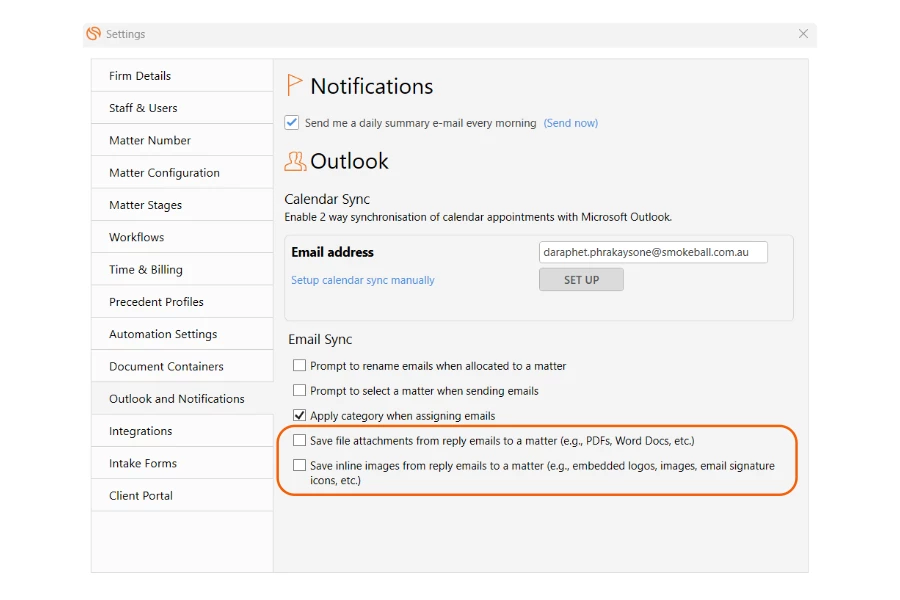
Capture every file emailed. Our new email syncing settings let you automatically save attachments and inline images from each reply to the corresponding matter, cutting out manual downloads and preventing missed documents.
Simply navigate to your Outlook and Notifications settings and tick the boxes highlighted below.
Capture leads on the go
Tier: Grow and Prosper+
Region: US, AU and UK
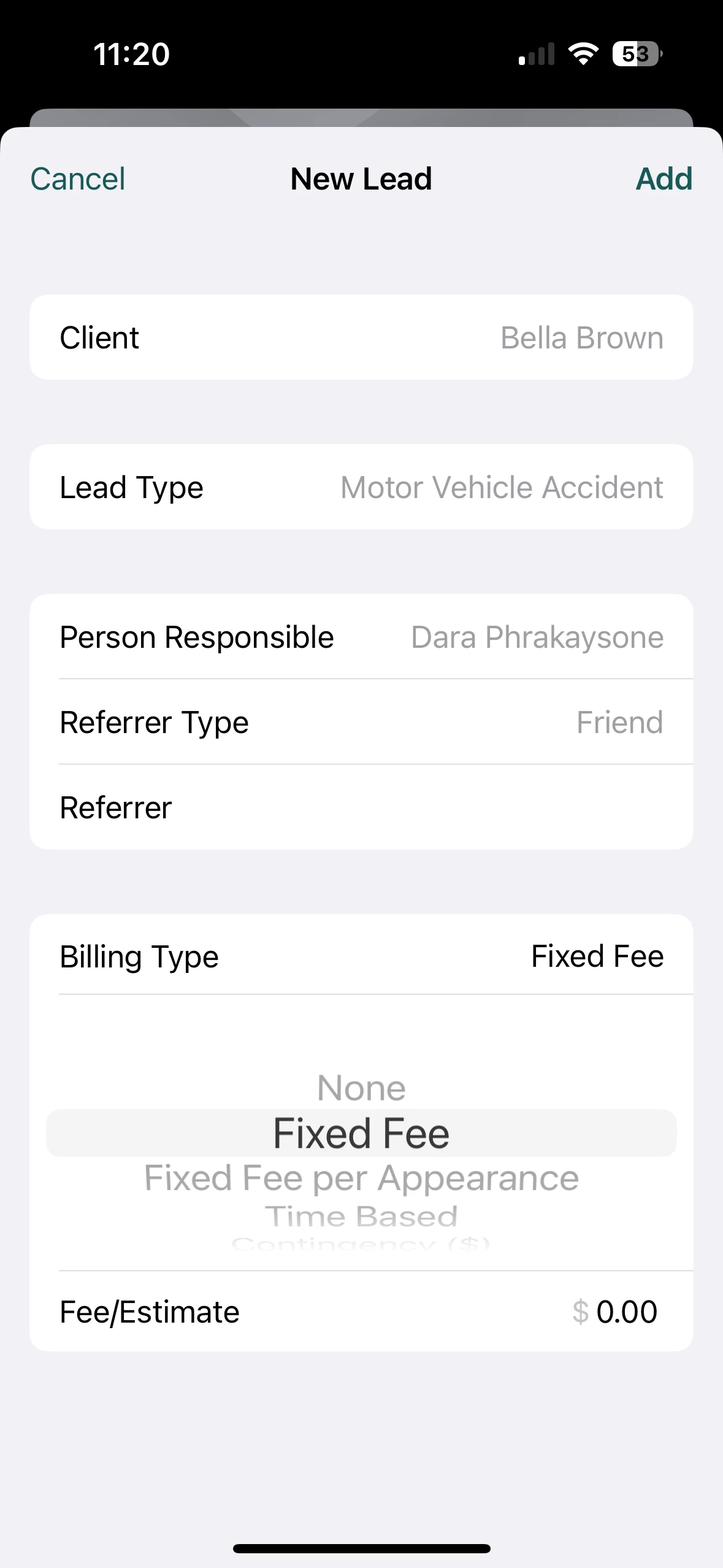
Never miss an opportunity with the Smokeball mobile app, available on iOS and Android. Create new leads in just a few taps by entering key details like lead type, person responsible, and referrer. Every opportunity is logged as it comes in, keeping your intake moving without the need for follow-ups or reminders.
Create leads from the Quick Add menu or the Leads page.
Smokeball Payments: Pass on transaction fees with credit card surcharging
Tier: Boost, Grow and Prosper+
Region: US
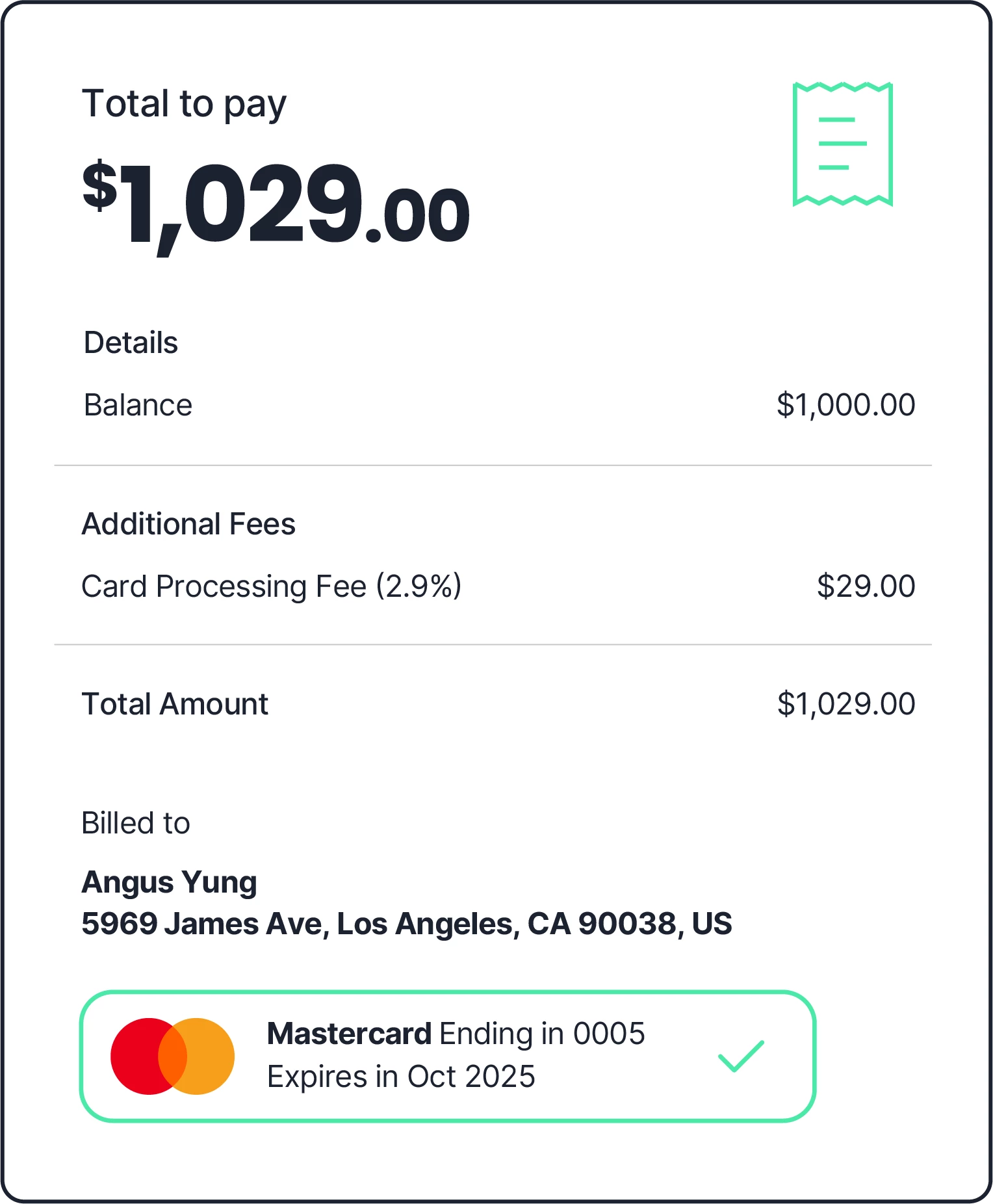
Credit card surcharging for Smokeball Payments lets you decide whether to pass transaction fees to clients or absorb them, with the option to show fees on invoices. It’s a simple way to recover payment processing costs, improve cash flow, and keep your billing process transparent.
Before enabling this feature, please check federal, state, and local laws. Credit card surcharging is not allowed in all US states
See how: US
Smokeball Payments: Take upfront payments with Intake
Tier: Boost, Grow and Prosper+
Region: US
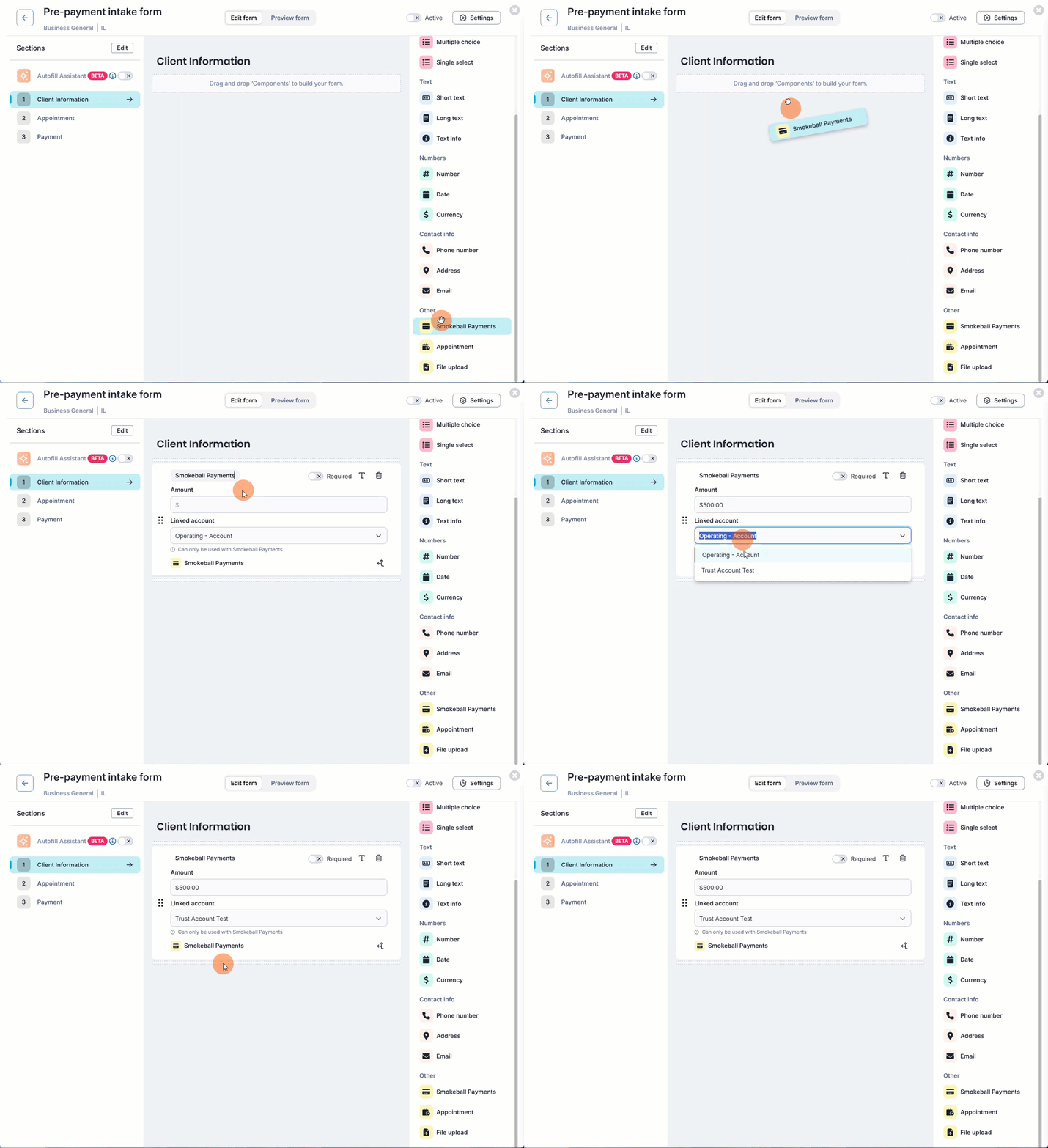
Collect retainers or consultation fees the moment your Intake form is completed, so you can get paid faster while reducing payment admin. Clients pay by card directly in the form, and the payment is automatically linked to the correct matter and posted to the right account.
See how: US