Answer

Billing Leads

  • July 11, 2024
  • 5 replies
  • 89 views

Did you guys remove the ability to invoice a lead? I have been invoicing leads since we started with Smokeball and now all of a sudden I can’t. I don’t know if it’s a change you made when you updated or something wrong in my Smokeball here. 

Best answer by Funkytown

I invoiced a Lead after a consultation yesterday.


I did that by going to Smokeball Billing


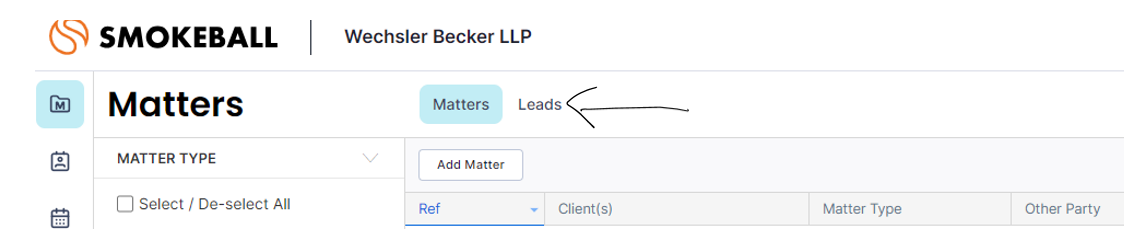
That brought me to this web-based screen where I clicked “Leads”


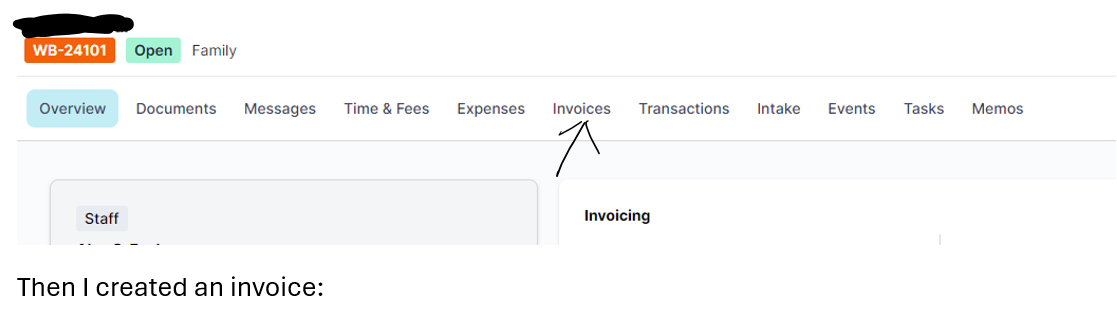
Then I selected the lead and clicked “Invoices”


5 replies

Funkytown
  • Frequent Scribe
  • Answer
  • July 11, 2024

I invoiced a Lead after a consultation yesterday.


I did that by going to Smokeball Billing


That brought me to this web-based screen where I clicked “Leads”


Then I selected the lead and clicked “Invoices”


  • Author
  • Contributor
  • July 11, 2024

Oh, that is so weird. When I open the lead it says there’s nothing unbilled. I couldn’t find it anywhere...until I clicked on “Create Invoice.” Okay. Confusing and weird but okay. 

Thanks, Funkytown. 😁


Funkytown
  • Frequent Scribe
  • July 24, 2025

Now I can’t bill a lead. I think it might be changes to how leads are handled. The create invoice option is greyed out.


When I try to edit the lead in the billing component, it won’t let me select the matter type - which appears to be a mandatory field.


  • Author
  • Contributor
  • July 28, 2025

I’ve started adding Internal Reference numbers to our leads and have found that helps with being able to invoice them. 


Funkytown
  • Frequent Scribe
  • July 28, 2025

I’ve started adding Internal Reference numbers to our leads and have found that helps with being able to invoice them. 

I think that did the trick! Thank you